How Long Does Website Development Take? Realistic Timelines by Project

A website can be built in a day, a week, a month or six months. All of those answers can be true because “website development” describes projects with completely different scopes. A focused landing page using existing brand assets can be produced quickly. A professional service website needs discovery, content, design, development and testing. An ecommerce store adds products, payments and shipping. A custom portal or SaaS product adds databases, user accounts and business logic. The most common reason timelines become unreliable is not coding speed. It is unclear scope, missing content, delayed feedback and requirements changing halfway through the project. This guide explains realistic timelines and how to make a website project move faster without cutting the work that matters.
Table of Contents
- Phase 1: Discovery and Planning
- Phase 2: Content Preparation
- Phase 3: UI/UX Design
- Phase 4: Frontend and CMS Development
- Ecommerce Setup Adds Operational Work
- Integrations Can Expand the Timeline
- Testing and Quality Assurance
- SEO, Analytics and Launch Preparation
- What Causes Website Projects to Run Late?
- How to Launch Faster Without Sacrificing Quality
- Can a Professional Website Be Built in Seven Days?
- How to Create a Reliable Website Timeline
- Final Takeaway
- A Sample Four-Week Business Website Timeline
- A Sample Eight-Week Ecommerce Timeline
- How Client Feedback Affects the Schedule
- Content First vs Design First
- Launch Is Not the End of the Timeline
- How to Estimate Your Own Timeline Before Requesting Quotes
- Use the Timeline as a Decision Tool
- Frequently Asked Questions
Typical Website Development Timelines
| Project type | Broad timeline | Main variables |
|---|---|---|
| Landing page | 2–10 days | Content readiness, custom design |
| Small business website | 2–6 weeks | Pages, design, copy, feedback |
| Marketing/corporate website | 4–10 weeks | Templates, content, integrations |
| Ecommerce website | 4–12 weeks | Catalogue, payments, shipping, migration |
| Custom web application | 2–6+ months | Features, backend, users, integrations |
Phase 1: Discovery and Planning
Good projects begin by deciding what is actually being built. Discovery may include business goals, customer types, competitors, services, required functionality, content inventory, technology and launch priorities.
A simple website can complete this phase in a call and a short brief. A large corporate site may need workshops, content audits and stakeholder interviews. A custom application may require user stories, process maps and technical architecture.
Skipping discovery can make the project appear faster at the start but slower later. Developers begin building screens before the team agrees on requirements, and revisions become structural rather than cosmetic.
Phase 2: Content Preparation
Content is one of the largest causes of website delays. A developer may finish the interface while the business is still deciding service descriptions, team bios, case studies, pricing, product data or photography.
For a small website, prepare the core copy before design if possible. For larger projects, content and design can progress together, but ownership must be clear. Decide who writes, who approves and what information is still missing.
Ecommerce projects are especially sensitive to content readiness. Product titles, descriptions, variants, images, SKUs and collections can take longer to organise than the theme itself.
Phase 3: UI/UX Design
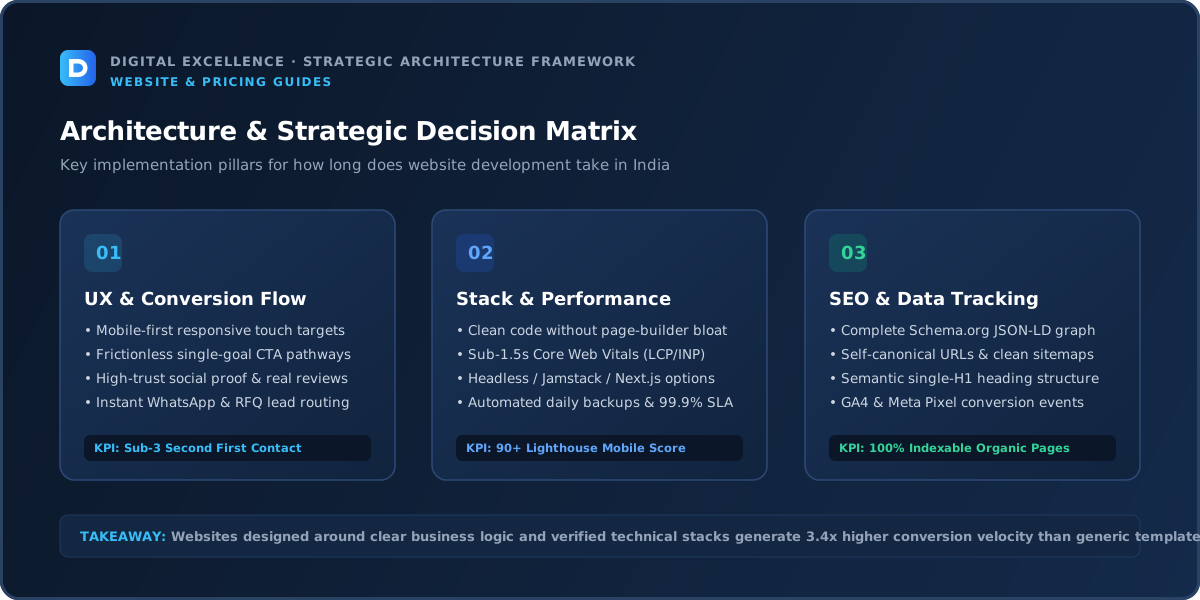
Design can range from selecting and customising a proven theme to creating fully custom page templates in Figma. A template-based project may move into development quickly. A custom brand site needs more time for layout exploration, component design and responsive decisions.
The number of unique templates matters more than the raw number of pages. Twenty service pages using one approved template are faster than six pages with six completely different layouts.
Fast approvals help. When stakeholders provide contradictory feedback or redesign approved sections repeatedly, the timeline expands.
Phase 4: Frontend and CMS Development
Development turns approved layouts into responsive, interactive pages. The time depends on the number of components, animations, forms and content systems.
A standard service website can use reusable components and move quickly. A complex marketing site may require custom animations, calculators, dynamic case studies, multi-language support or external data. Custom applications also need authentication, databases and backend logic.
Mobile implementation should happen during development rather than as a final patch. Navigation, typography, tables, forms and floating elements often need different behaviour on smaller screens.
Ecommerce Setup Adds Operational Work
Ecommerce includes more than frontend development. Products, variants, collections, payments, shipping, tax settings, policy pages, emails and order flows need configuration and testing.
A store with 30 clean products can move quickly. A store with 3,000 inconsistent products may spend weeks on data alone. Migration from another platform adds redirects, customer data and historical orders.
Do not set an ecommerce launch date until the catalogue and operational rules are understood.
For a related buying decision, see Website Development Timeline: Project-by-Project Guide.
Integrations Can Expand the Timeline
CRM systems, booking tools, payment gateways, shipping providers, ERP platforms, email automation and third-party APIs all create dependencies.
Some integrations are simple embed or API tasks. Others require authentication, data mapping, webhooks and error handling. The external provider may also require account approval before testing.
Identify integrations during discovery. Adding a critical ERP requirement near launch can change the architecture and schedule.
Testing and Quality Assurance
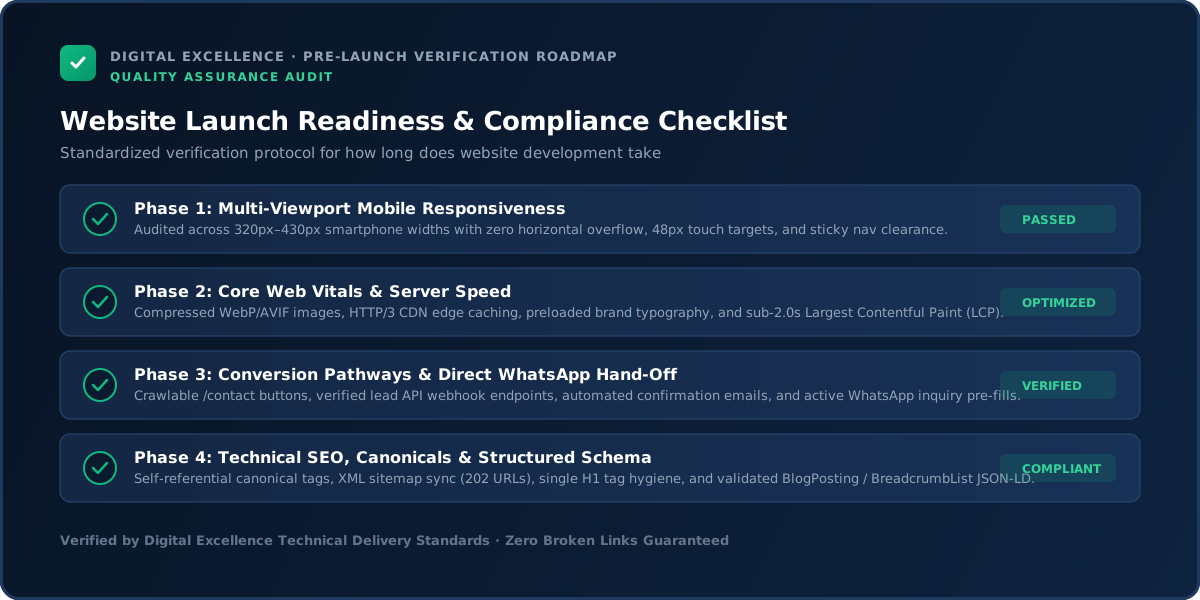
Testing should cover more than whether pages open. Teams need to review mobile layouts, forms, validation, links, browser behaviour, accessibility basics, analytics, performance and content.
Ecommerce requires test orders, payment failures, coupons, shipping calculations, emails, refunds and account flows. Custom applications need role and permission testing.
Rushing QA can make the launch date look impressive while transferring unfinished work into production. A short dedicated testing period is normally cheaper than fixing avoidable issues after customers arrive.
SEO, Analytics and Launch Preparation
Before launch, public pages should have titles, descriptions, canonical URLs, crawlable internal links, sitemap coverage and appropriate structured data where relevant. Existing websites need redirects if URLs change.
Analytics and conversion events should be tested. The production domain, SSL, email forms and DNS also need verification.
These tasks are small compared with development, but they are easy to miss when a deadline becomes the only priority.
What Causes Website Projects to Run Late?
The most common causes are unclear requirements, missing copy, late images, slow approvals, repeated design direction changes, scope expansion and external integrations.
Another cause is treating every idea as a launch requirement. Teams add calculators, portals, animations and automation because development has already started. Each feature may be reasonable, but together they change the project.
Use a written scope and maintain a phase-two list. New ideas do not need to disappear; they simply do not need to block launch.
How to Launch Faster Without Sacrificing Quality
Start with a clear goal. Decide which pages and features are required for launch. Prepare content early. Give one person authority to consolidate feedback. Approve design direction before full development.
Use proven platforms where they fit. A normal ecommerce store does not need a custom checkout engine. A service website does not need a complex application backend.
Reuse components intentionally and postpone low-value features. Speed should come from reducing ambiguity and unnecessary scope, not skipping mobile testing, SEO basics or ownership setup.
For a useful scope comparison, read Website Development Proposal Checklist: What Should Be Included?.
Can a Professional Website Be Built in Seven Days?
Yes, some can. A clearly scoped business website with ready content, a defined design direction and responsive feedback can be developed very quickly. The timeline becomes less realistic when the site needs extensive copywriting, custom functionality, large migrations or multiple stakeholder approvals.
Fast delivery is best treated as a project constraint: content must be ready, decisions must be made quickly and the feature set must be controlled.
A seven-day build can still be high quality when the project is suited to that pace. It should not become a universal promise for every website type.
How to Create a Reliable Website Timeline
Break the project into milestones: requirements, content, design approval, development, integrations, QA and launch. Assign an owner and deadline to both the agency and client tasks.
Include feedback time rather than assuming immediate approvals. Identify dependencies such as payment accounts or DNS access. Define what happens if content is late.
A realistic timeline is not pessimistic; it makes responsibility visible and gives the team a better chance of launching on time.
Website timelines become more reliable when the project is managed as a dependency map rather than one final deadline. Content, design approval, product data, third-party accounts, DNS access and legal/compliance review can block development even when coding is on schedule. Put an owner and due date beside each dependency.
Also separate “development complete” from “launch ready.” Reserve time for real-content QA, mobile testing, forms, analytics, redirects and production checks. When a fixed launch date is important, move non-essential features to a documented phase two instead of deleting QA.
Final Takeaway
How long website development takes depends more on scope and decision-making than on a single industry average. A focused website with ready content can move quickly. Ecommerce, migration and custom applications require more testing and coordination.
The fastest reliable projects are not the ones that skip steps. They are the ones where requirements, content, ownership and feedback are clear from the beginning.
For implementation options, explore website development services and Digital Excellence portfolio.
A Sample Four-Week Business Website Timeline
Week one can cover requirements, content collection and design direction. Week two can focus on core UI and reusable components. Week three can cover page implementation, forms, responsive behaviour and content entry. Week four can be used for QA, SEO checks, analytics and launch.
This is only an example, not a promise. It works best when the scope is modest, the client has content ready and approvals happen quickly. If copywriting, photography or integrations are still unresolved, the schedule needs more time.
A Sample Eight-Week Ecommerce Timeline
An ecommerce project may use the first two weeks for catalogue planning, navigation, platform setup and UI direction. Weeks three to five can cover theme development, collection and product templates, product imports and integrations. Weeks six and seven can focus on payments, shipping, analytics and QA. The final week can be used for launch preparation and contingency.
Large migrations need additional time for product data cleaning and redirect mapping. Launching an ecommerce store should be planned around operational readiness, not only the day the homepage looks finished.
How Client Feedback Affects the Schedule
Website development is collaborative. A two-day design task can become a two-week calendar delay if feedback arrives slowly. Multiple stakeholders can also create contradictory requests.
Assign one person to consolidate feedback. Review the project at agreed milestones rather than sending scattered changes daily. When feedback is specific—such as “the pricing hierarchy is unclear on mobile”—the team can act faster than when it is only “make it more premium.”
Fast projects normally have fast decision-making on both sides.
For the next planning step, use 20 Questions to Ask Before Hiring a Website Developer.
Content First vs Design First
There is no absolute rule, but design works better when the team understands the real content. Designing around placeholder text can create sections that break once final copy arrives.
For smaller websites, have most copy ready before full UI work. For large sites, define representative content for each template and continue writing in parallel. The key is avoiding last-minute surprises such as a service page needing twice as much information as the approved layout can support.
Launch Is Not the End of the Timeline
After launch, monitor forms, analytics, search indexing, performance and user feedback. Small issues can appear only under real traffic.
Plan a short post-launch support window and separate future improvements into a backlog. This prevents the project from remaining permanently “almost finished” while still giving the team a structured way to improve the live site.
How to Estimate Your Own Timeline Before Requesting Quotes
Count the unique page templates, not only pages. List content that is still missing. Identify integrations that need external approvals. Note who must approve designs and copy. Add time for QA and a launch buffer. This gives you a more realistic brief before any developer promises a date.
If you need a fixed launch deadline, tell the developer which scope can move to phase two. A deadline is much easier to protect when the project has clear trade-offs.
Use the Timeline as a Decision Tool
A timeline is useful when it helps you decide what must launch now and what can wait. If a feature adds weeks but does not affect the core customer journey, move it to a later phase. Protect the deadline by protecting the scope, not by compressing testing and mobile quality at the end.
Frequently Asked Questions
How long does a five-page website take?
With content and branding ready, a straightforward five-page website may take around one to a few weeks depending on design and feedback. Custom design and copywriting can extend the timeline.
How long does an ecommerce website take?
Many ecommerce builds take roughly one to three months, but product count, migration and integrations can make them shorter or much longer.
Why do website projects get delayed?
Missing content, unclear requirements, slow feedback, scope changes and third-party integrations are common causes.
Can website design and development happen at the same time?
Some work can overlap, but building before core layouts and components are approved often creates rework.
Does SEO add a lot of time?
Basic technical SEO can be integrated into development. Large-scale keyword research, content creation and migration can add significant time.
Can I launch a smaller version first?
Yes. Prioritising a strong first version and moving secondary features to phase two can reduce time and risk.
Need a Website on a Clear Timeline?
Need a website scope or quote based on your real requirements rather than a generic package? Digital Excellence can review the pages, platform, integrations, SEO needs and launch priorities.