Why Is My Website Getting Traffic but No Leads?

Traffic feels like progress, but a lead-generation website is successful only when relevant visitors take the next step. If sessions increase while enquiries remain flat, the problem may be intent, message match, proof, form friction or measurement—not the amount of traffic. This guide shows how to separate traffic problems from conversion problems and turn analytics into a practical improvement plan.
Table of Contents
- Start With a Funnel Diagnosis, Not a Redesign
- Check Traffic Quality Before You Blame Conversion
- Make the Offer Understandable in Five Seconds
- Match Page Content to Buyer Intent
- Mobile UX Can Quietly Destroy Intent
- Speed and Technical Reliability
- Trust: Give the Buyer Evidence, Not Adjectives
- CTA and Form Friction
- Use Analytics to Find the Exact Leak
- SEO: Ranking for the Wrong Intent Is Not a Win
- Lead Quality Matters More Than Lead Count
- Fix Problems in the Right Order
- A 48-Hour Triage Plan
- A 30-Day Improvement Plan
- When a Full Redesign Is Actually Justified
- Final Takeaway
- Distinguish Lead Volume From Lead Quality
- Use Service Pages as the Commercial Destination for Blog Traffic
- Check Whether Lead Notifications Reach the Right Person
- Lead Generation Needs a Feedback Loop From Sales
- Check Whether Your Highest-Traffic Pages Have a Relevant Next Step
- Use Lead Source Data to Improve Content Priorities
- Review the Thank-You and Follow-Up Workflow
- One Final Lead-Generation Rule
- Frequently Asked Questions
Diagnostic Funnel
| Stage | Question | Useful signal |
|---|---|---|
| Traffic | Are the right people arriving? | source, query, campaign, geography |
| Message | Do they understand the offer? | scroll, engagement, objections |
| Trust | Do they believe you? | proof viewed, return visits |
| Action | Is the next step obvious? | CTA clicks, form starts |
| Friction | Can they complete it? | errors, speed, abandonment |
| Follow-up | What happens after intent? | response time, sales process |
Start With a Funnel Diagnosis, Not a Redesign
When your website receives traffic but produces few leads, the temptation is to blame the design and rebuild everything. Start by finding the stage where intent disappears. Are the wrong visitors arriving? Do the right visitors fail to understand the offer? Are they convinced but unable to complete the action?
Separate acquisition, persuasion and transaction problems. A website cannot convert irrelevant traffic into qualified customers consistently, and more traffic will not fix a confusing offer. Likewise, a strong offer can still fail when forms break or the mobile page is unusable.
Use analytics, Search Console, ad data, recordings or customer conversations where available. The objective is not more dashboards; it is identifying the first meaningful leak.
Check Traffic Quality Before You Blame Conversion
Search Console can reveal whether the site is attracting commercial service queries or broad informational questions. Paid channels should be reviewed by campaign and audience. Direct and branded traffic may behave differently again. Do not average all sessions together.
Segment performance by source, landing page, device and intent. Brand searches, broad informational searches and high-intent service queries should not be expected to convert at the same rate. Paid campaigns also need message match between the ad and the landing page.
If traffic quality is weak, fix targeting or content intent before redesigning buttons. A website can only persuade the audience that arrives.
Make the Offer Understandable in Five Seconds
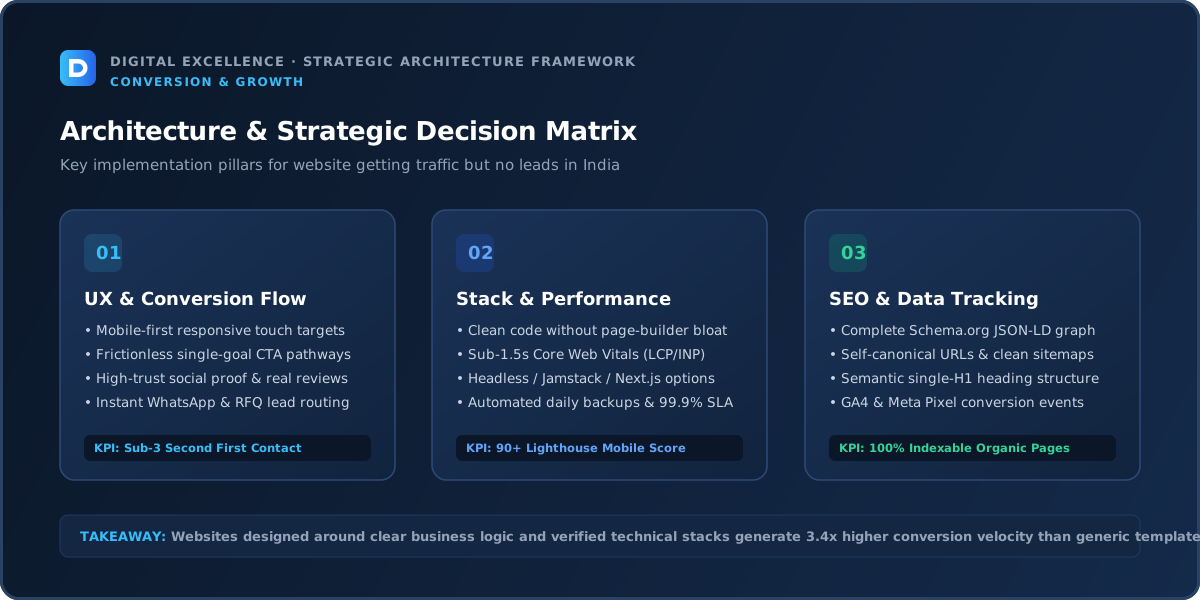
In this article’s context, make the offer understandable in five seconds matters only if it explains a real leak in the “website getting traffic but no leads” journey. Validate the issue with page-level behaviour before assuming a full redesign is needed.
A visitor should quickly understand what the business does, who it is for and what they should do next. Clever headlines can create ambiguity when they replace basic clarity.
Review the first mobile screen without internal knowledge of the company. Does the heading describe the outcome or service? Is the supporting copy specific? Is the primary CTA visible? Can a user tell whether the business serves them?
Do not try to communicate every advantage in the hero. Establish relevance first, then use the page to answer questions in a logical order.
Match Page Content to Buyer Intent
A visitor landing on an article may not be ready for a sales call. Link useful educational content to the relevant service page and offer a natural next step. A service-page visitor needs more direct information about fit, process, evidence and contact.
A high-intent visitor usually wants concrete information: scope, process, examples, price guidance, availability, delivery expectations or proof. An informational visitor may need education before a commercial CTA makes sense.
Create dedicated pages when search or campaign intent is genuinely different. Do not send every keyword and every ad to the homepage simply because it has the most design work.
Mobile UX Can Quietly Destroy Intent
In this article’s context, mobile ux can quietly destroy intent matters only if it explains a real leak in the “website getting traffic but no leads” journey. Validate the issue with page-level behaviour before assuming a full redesign is needed.
Test the critical journey on 320–430px screens. Look for oversized headings, dense paragraphs, tiny controls, awkward sticky bars, slow product galleries, horizontal tables and forms hidden beneath keyboards or fixed buttons.
Mobile usability is not only visual. Page weight, interaction delay and layout shifts change how trustworthy the experience feels. Google recommends good Core Web Vitals and a strong overall page experience, but the business metric is whether a customer can understand and complete the journey comfortably.
If mobile performs much worse than desktop, prioritise that gap before changing the entire brand.
Speed and Technical Reliability
In this article’s context, speed and technical reliability matters only if it explains a real leak in the “website getting traffic but no leads” journey. Validate the issue with page-level behaviour before assuming a full redesign is needed.
Check whether the page loads useful content quickly and remains responsive. Large images, multiple chat widgets, analytics scripts, heavy themes, apps and plugins can accumulate until the user experiences delay.
Also test the mechanics: forms, validation, buttons, phone links, WhatsApp links, booking calendars, coupon codes, add-to-cart and checkout. A broken or inconsistent action can look like a persuasion problem in analytics.
Fix reliability before experimenting with copy. There is no conversion strategy that compensates for a journey that intermittently fails.
For a related diagnosis, see Business Website Not Generating Enquiries? Fix These Problems.
Trust: Give the Buyer Evidence, Not Adjectives
For lead generation, trust often comes from relevant case studies, real portfolio work, founder or team information, process transparency, testimonials when genuine and a professional contact experience.
Strong proof can include real portfolio examples, case studies, testimonials with context, clear policies, transparent process, team/founder information and professional contact details. Ecommerce sites may also need delivery, return and payment clarity.
Avoid fake urgency, fake counters, unverifiable awards or invented results. Trust compounds when the page is specific and honest about what it can and cannot do.
CTA and Form Friction
A generic “Contact Us” button can work, but more specific actions such as “Book a Consultation” or “Request a Project Quote” can clarify what happens next. Keep the form proportional to the value and complexity of the service.
Measure CTA clicks, form starts and form completions separately if possible. If many people click but few complete the form, the problem is different from nobody clicking at all.
Ask only for information that is useful at that stage. A consultation request may need more qualification than a newsletter signup, but a 15-field form can discourage buyers who are still comparing providers.
Use Analytics to Find the Exact Leak
Track qualified leads, not only form submissions. If possible, connect source and landing page to CRM outcomes so marketing learns which traffic creates real conversations.
Define one primary conversion per page. Supporting events can help diagnosis, but do not turn every scroll or click into a success metric.
Validate tracking after every redesign or tag change. Incorrect analytics can send the team into weeks of optimisation based on events that are duplicated, missing or firing on the wrong action.
SEO: Ranking for the Wrong Intent Is Not a Win
In this article’s context, seo: ranking for the wrong intent is not a win matters only if it explains a real leak in the “website getting traffic but no leads” journey. Validate the issue with page-level behaviour before assuming a full redesign is needed.
Organic traffic can grow while revenue stays flat if the new rankings are for informational queries with little commercial value. Search Console should be reviewed by query and landing page, not only total clicks.
Build content clusters that connect educational pages to relevant service or category pages through contextual internal links. Google recommends crawlable links and helpful people-first content. The article should solve the searcher's problem first, then offer the service when it is a natural next step.
Do not create hundreds of near-duplicate pages simply to capture keyword variations.
Lead Quality Matters More Than Lead Count
A website can double form submissions by lowering friction and still create worse sales outcomes if every visitor becomes an unqualified lead. Define what makes a lead useful: business type, budget, location, project timing or service fit.
Use forms and content to qualify gently. Ask only the questions sales actually uses, and explain requirements on the page so poor-fit visitors can self-select out.
Fix Problems in the Right Order
In this article’s context, fix problems in the right order matters only if it explains a real leak in the “website getting traffic but no leads” journey. Validate the issue with page-level behaviour before assuming a full redesign is needed.
Use this sequence: broken functionality → wrong traffic → unclear offer → trust gaps → mobile friction → CTA/form friction → performance polish → experiments.
This order prevents teams from running button-colour tests on a page whose audience or offer is wrong. Fix obvious structural problems before testing small variants.
Document each meaningful change and its date. If five major things change at once, you may know the page improved but not why.
For another useful funnel check, read Website Forms Getting No Submissions? Check These 12 Problems.
A 48-Hour Triage Plan
In this article’s context, a 48-hour triage plan matters only if it explains a real leak in the “website getting traffic but no leads” journey. Validate the issue with page-level behaviour before assuming a full redesign is needed.
Day one: verify analytics, test the page on mobile, submit every form, complete the core purchase or booking journey, check the largest traffic sources and read the page as a new visitor.
Day two: list the top three leaks, write one measurable hypothesis for each and implement only the highest-confidence fixes that do not require a full rebuild.
This quick triage will not solve every conversion issue, but it prevents expensive redesigns based on assumptions.
A 30-Day Improvement Plan
In this article’s context, a 30-day improvement plan matters only if it explains a real leak in the “website getting traffic but no leads” journey. Validate the issue with page-level behaviour before assuming a full redesign is needed.
Week one should focus on measurement and critical bugs. Week two can improve the offer hierarchy, proof and mobile content. Week three can refine forms, product/landing pages and internal links. Week four should review results and decide which hypothesis deserves a deeper test.
For low-traffic websites, avoid overinterpreting small samples. Combine quantitative data with sales-team feedback and direct customer questions.
The goal is a repeatable optimisation process rather than a one-time “conversion redesign.”
When a Full Redesign Is Actually Justified
In this article’s context, when a full redesign is actually justified matters only if it explains a real leak in the “website getting traffic but no leads” journey. Validate the issue with page-level behaviour before assuming a full redesign is needed.
A redesign makes sense when the information architecture is fundamentally wrong, the CMS blocks marketing, mobile layouts cannot be fixed cleanly, the brand has changed or the technical foundation creates repeated issues.
If the problem is one weak offer page, one broken form or poor ad targeting, redesigning the whole website adds cost and risk without addressing the root cause.
Audit first. Redesign only the layers that need structural change.
Final Takeaway
Traffic without leads is not automatically a website-design failure. Diagnose intent and the handoff from page to enquiry before increasing traffic spend.
Treat conversion problems as a diagnostic process. Fix the earliest leak in the journey, measure again, and keep the website easy to read and use on mobile. That approach produces better decisions than assuming every revenue problem requires more traffic or a completely new design.
Distinguish Lead Volume From Lead Quality
A page can generate more submissions while producing worse sales conversations. Define what makes a lead qualified and compare channels or landing pages using that standard.
If budget, geography, service type or timing is essential to qualification, explain fit on the page and collect only the fields sales actually uses.
Use Service Pages as the Commercial Destination for Blog Traffic
Informational articles can attract earlier-stage visitors. Contextual links should lead to the most relevant service, cost, comparison or case-study page—not automatically to the generic homepage.
This creates a natural path from education to evaluation without weakening the article's usefulness.
For the next troubleshooting step, use How to Make a Business Website Generate More Qualified Leads.
Check Whether Lead Notifications Reach the Right Person
A form can record a successful submission while the email notification goes to spam or an old inbox. Test the entire handoff into CRM or sales ownership.
Speed of follow-up matters for many services, so operational routing is part of website lead generation.
Lead Generation Needs a Feedback Loop From Sales
Ask sales which pages or campaigns create strong conversations, which questions prospects still ask and why leads are rejected. Feed that information back into content, forms and targeting.
Without this loop, marketing optimises for submissions while sales experiences a different reality.
Check Whether Your Highest-Traffic Pages Have a Relevant Next Step
A blog post can rank well but send users nowhere useful. Add contextual links to deeper guides, case studies or the relevant service when it genuinely helps the reader continue.
Do not use generic ‘contact us’ banners as the only bridge between information and commercial intent.
Use Lead Source Data to Improve Content Priorities
If one service page consistently produces qualified leads, build supporting content around its buyer questions. If another topic creates traffic but no commercial interest, reconsider how much publishing effort it deserves.
Content strategy should learn from actual pipeline, not only keyword volume.
Review the Thank-You and Follow-Up Workflow
Confirm the user knows the enquiry succeeded and that sales receives enough context to respond intelligently. Automated acknowledgement can set expectations, but it should not replace timely human follow-up for high-value services.
One Final Lead-Generation Rule
A page should attract the right person, answer enough questions to create confidence and make the next step proportionate to their intent. More traffic or more form fields cannot substitute for that alignment.
For implementation options, explore website development services and Digital Excellence portfolio.
Frequently Asked Questions
Why do visitors not fill out my form?
They may lack trust, find the form too long, not understand the value of contacting you or encounter technical friction.
Should I add more CTAs?
More buttons are not always better. Make the primary action clear and place it where intent naturally rises.
Can blog traffic become leads?
Yes through relevant internal links and useful next steps, but informational visitors often convert later than service-page visitors.
What is a good lead conversion rate?
There is no universal rate because traffic intent, industry and lead value differ.
Should I ask budget in the form?
If it materially helps qualification, yes; otherwise it may create unnecessary friction.
How can I track lead quality?
Connect analytics or campaign data to CRM outcomes where possible.
Need More Qualified Website Leads?
Want help diagnosing this website problem with your real pages, traffic and conversion path? Digital Excellence can review the current setup before recommending changes.