Why Is My WooCommerce Store Not Converting?

WooCommerce gives store owners deep control over WordPress, which is useful until that flexibility turns into a stack of heavy plugins, conflicting checkout customisations and slow product pages. When a WooCommerce store stops converting, the issue can sit anywhere from traffic intent to hosting. This guide uses a platform-specific diagnostic so you can identify whether the problem is commercial, UX or technical before replacing the entire store.
Table of Contents
- Do Not Start With Cosmetic Changes
- Traffic Quality and Message Match
- Clarify the Value Proposition
- Content Depth and Search Intent
- Trust and Risk Reduction
- Mobile UX Audit
- Performance and Technical Reliability
- CTA and Form Friction
- Analytics and Funnel Measurement
- SEO and Internal Linking
- Audit Plugins, Hosting and Database Health
- Fix the Earliest Leak First
- 48-Hour Triage Plan
- 30-Day Improvement Plan
- When a Redesign Is Justified
- Final Takeaway
- Review Hosting Before You Rewrite Product Pages
- Audit the Checkout Extension Stack
- Use Order Failure Data as UX Research
- Product Search and Filtering Need WordPress-Specific Attention
- Separate Plugin Count From Plugin Quality
- Check Transactional Email and Customer Communication
- Use a Staging Store for High-Risk Changes
- Final WooCommerce Conversion Rule
- Review WooCommerce Sessions With Cart Context
- Check Shipping Logic for Unexpected Dead Ends
- Review Payment Gateway Error Messaging
- Keep WooCommerce Logs Useful
- Conversion Work Should Leave the Store Easier to Maintain
- WooCommerce Conversion Changes Should Be Regression-Tested
- Keep Product and Shipping Rules Documented
- Review Mobile Account and Login Flows
- Use Customer-Service Tickets to Prioritise Fixes
- Final Store Health Check
- Recalculate Conversion After Major Plugin Cleanup
- Document Payment and Shipping Test Cases
- Final WooCommerce Operations Principle
- One Final WooCommerce Audit
- Final Principle
- Final WooCommerce Check
- Closing SEO Note
- Frequently Asked Questions
Conversion Diagnostic Funnel
| Stage | Question |
|---|---|
| Traffic | are the right visitors arriving? |
| Relevance | does the page match their intent? |
| Clarity | do they understand the offer? |
| Trust | is there enough credible evidence? |
| Action | is the CTA obvious and appropriate? |
| Friction | can they complete the action on mobile? |
| Measurement | are analytics telling the truth? |
Do Not Start With Cosmetic Changes
When your WooCommerce store gets visitors but few orders, isolate the failing stage before changing the theme, colours or animation. Look at source, landing page, device, CTA clicks, form or checkout starts and completions. A redesign can improve a weak experience, but it can also hide the original cause if the team never established a baseline.
Start with one question: what does a qualified visitor need to believe and do before the conversion? Then inspect whether the website supports each step.
Traffic Quality and Message Match
Compare conversion by source and landing page. Organic blog traffic can be much less commercial than product or category searches. Paid campaigns should land on the product or collection promised by the ad.
Clarify the Value Proposition
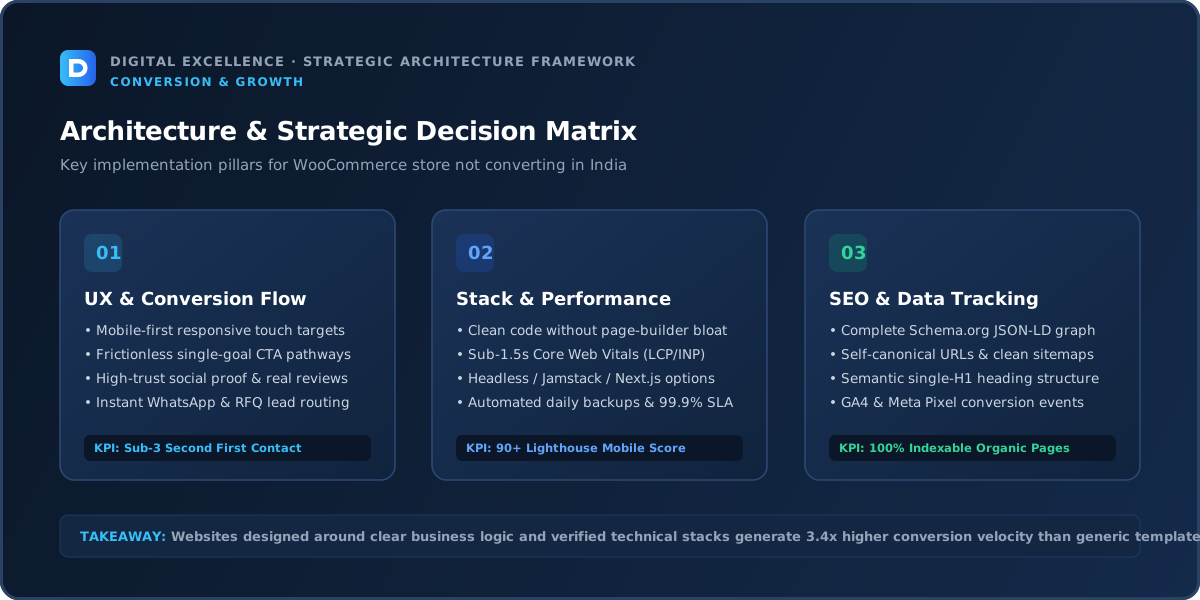
A practical way to use clarify the value proposition here is to ask whether it changes qualified conversion for “WooCommerce store not converting”. If the answer cannot be measured or observed, keep it behind higher-confidence fixes.
A visitor should quickly know what is being offered, who it is for and why it is relevant. Avoid headlines that sound impressive internally but require the user to decode the business.
Use the first screen to establish relevance, then support the claim with details, proof and an obvious next step. On mobile, this often means shorter headings, tighter spacing and fewer decorative elements competing with the message.
Content Depth and Search Intent
Category and product pages should answer product-specific questions, not rely on the homepage to do the selling. Use clear variants, stock, price, delivery, returns and product details. Avoid thin category pages created only for search engines.
Trust and Risk Reduction
WooCommerce stores should make policies, secure payment options, contact details and real customer evidence easy to find. A technically functional WordPress theme can still feel untrustworthy if branding and checkout states are inconsistent.
Mobile UX Audit
A practical way to use mobile ux audit here is to ask whether it changes qualified conversion for “WooCommerce store not converting”. If the answer cannot be measured or observed, keep it behind higher-confidence fixes.
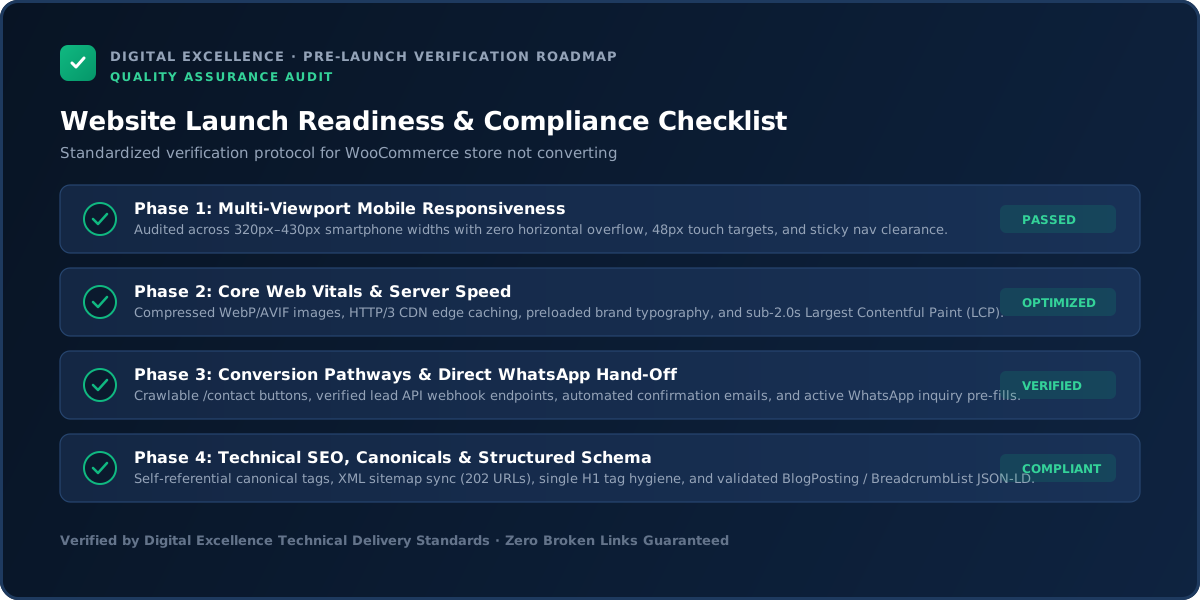
Test the journey at 320, 360, 375, 390, 414 and 430px widths. Check headings, menus, forms, comparison tables, galleries, filters, buttons, sticky bars and popups. Nothing should require horizontal scrolling or be hidden behind a fixed element.
If mobile engagement or conversion is meaningfully worse than desktop, prioritise that gap. Do not assume users will tolerate a desktop-first experience simply because the website technically adapts.
Performance and Technical Reliability
A practical way to use performance and technical reliability here is to ask whether it changes qualified conversion for “WooCommerce store not converting”. If the answer cannot be measured or observed, keep it behind higher-confidence fixes.
Use Core Web Vitals and real device testing to identify loading, responsiveness and layout-stability problems. Large images, third-party scripts, apps, plugins and animation libraries can all create friction.
Also test the conversion mechanics. Submit forms, try error states, make test purchases where appropriate and confirm notification delivery. Technical failures often masquerade as a persuasion problem because analytics only shows that the visitor disappeared.
CTA and Form Friction
Test add-to-cart and checkout after plugin updates. Variant selectors, coupons, shipping calculators and payment extensions can introduce friction or errors. On mobile, ensure notices and sticky elements do not cover required fields.
Analytics and Funnel Measurement
Validate ecommerce events after theme/plugin changes and compare product view → add-to-cart → checkout → purchase by device. Monitor failed orders and payment errors in the store backend as well.
For a related diagnosis, see Ecommerce Traffic but No Sales? Diagnose the Funnel.
SEO and Internal Linking
A practical way to use seo and internal linking here is to ask whether it changes qualified conversion for “WooCommerce store not converting”. If the answer cannot be measured or observed, keep it behind higher-confidence fixes.
Search traffic should be evaluated by query intent and landing page. Total clicks can rise while leads fall if growth comes from broad informational terms.
Connect educational content to relevant commercial pages using contextual internal links. Google recommends crawlable links with descriptive anchors. The aim is to help the reader continue their journey, not to force a sales CTA into every paragraph.
Audit Plugins, Hosting and Database Health
WooCommerce performance depends on more than front-end design. Review active plugins, scheduled tasks, caching, database size, image payloads and hosting resources. Remove only what is unnecessary and test changes safely.
Use staging for risky updates and maintain backups. A store that breaks during optimisation is worse than a store that is slightly slower.
Fix the Earliest Leak First
A practical way to use fix the earliest leak first here is to ask whether it changes qualified conversion for “WooCommerce store not converting”. If the answer cannot be measured or observed, keep it behind higher-confidence fixes.
Prioritise in this order: broken functionality, irrelevant traffic, unclear value, missing trust, mobile friction, CTA/form friction, performance polish and small experiments. If the first stage is broken, optimising later stages has limited value.
Write one hypothesis for each change and record the deployment date. This simple discipline prevents teams from changing five things at once and then guessing which one mattered.
48-Hour Triage Plan
A practical way to use 48-hour triage plan here is to ask whether it changes qualified conversion for “WooCommerce store not converting”. If the answer cannot be measured or observed, keep it behind higher-confidence fixes.
Verify tracking, test the page on mobile, submit the primary conversion, review the top landing pages and traffic sources, and read the page as if you know nothing about the business. Write down the three largest leaks.
Fix obvious technical failures immediately. For messaging or UX changes, prioritise high-confidence changes that can be measured. Do not begin a complete rebuild because of one bad week of data.
30-Day Improvement Plan
A practical way to use 30-day improvement plan here is to ask whether it changes qualified conversion for “WooCommerce store not converting”. If the answer cannot be measured or observed, keep it behind higher-confidence fixes.
Week one: measurement and technical reliability. Week two: value proposition, proof and mobile readability. Week three: CTA, forms and high-intent landing pages. Week four: review results and plan the next test.
For low-traffic sites, combine analytics with actual sales conversations and customer questions. Small samples can fluctuate heavily, so use judgement rather than treating every percentage change as proof.
When a Redesign Is Justified
A practical way to use when a redesign is justified here is to ask whether it changes qualified conversion for “WooCommerce store not converting”. If the answer cannot be measured or observed, keep it behind higher-confidence fixes.
A full redesign makes sense when the information architecture, CMS, mobile system or technical foundation creates repeated problems. It is less sensible when one landing page, form or campaign is the real issue.
Preserve strong pages, URLs and user journeys. A redesign should remove structural friction rather than reset every element for novelty.
Final Takeaway
WooCommerce conversion work should combine commerce UX with WordPress engineering. Diagnose both layers before blaming either one.
Use the website as a measurable system: acquire the right audience, make the value clear, reduce risk, remove friction and verify the conversion path. That sequence is more reliable than adding more traffic or redesigning on instinct.
Review Hosting Before You Rewrite Product Pages
WooCommerce conversion problems can originate in server performance, especially during cart, account and checkout activity that cannot be cached like ordinary pages. Check server response, database load, PHP workers and error logs during real shopping journeys.
If product pages are slow only when traffic spikes, the problem may be infrastructure rather than copy or design. Performance work should therefore include both front-end assets and the underlying WordPress environment.
Audit the Checkout Extension Stack
List every extension that modifies cart, checkout, coupons, tax, shipping, payment or customer accounts. Disable nothing blindly in production; use staging to test whether overlapping extensions are creating errors or unnecessary steps.
The most reliable checkout is often the simplest one that still supports the business model.
For another useful funnel check, read Customers Leaving Product Pages Without Buying? Fix These Gaps.
Use Order Failure Data as UX Research
Review failed and cancelled orders by payment method, device and error reason. Some users intend to purchase but are blocked by gateway issues, address validation or confusing payment states.
Technical logs can reveal problems that session recordings or page analytics cannot. Fixing one recurring failure can produce more value than a complete visual redesign.
Product Search and Filtering Need WordPress-Specific Attention
Large WooCommerce stores can struggle with slow or inaccurate search and filters if product attributes are inconsistent or queries are heavy. Review zero-result searches and the attributes customers actually use.
A cleaner catalogue model can improve both usability and performance.
Separate Plugin Count From Plugin Quality
A store with 25 purposeful, maintained extensions can be healthier than one with 10 poorly supported plugins. Evaluate overlap, update history, compatibility and business value rather than chasing an arbitrary plugin number.
Remove abandoned or duplicated functionality only after documenting what depends on it.
Check Transactional Email and Customer Communication
A successful order followed by no confirmation email creates distrust and support load. Test order receipts, password reset, shipping updates and failed-payment communication.
Use reliable transactional email configuration and make sure messages reflect the current brand and policies.
Use a Staging Store for High-Risk Changes
Theme updates, checkout customisation and major plugin upgrades should be tested away from the live store. Use representative products, coupons and payment/shipping scenarios.
A staging workflow slows down one update slightly but can prevent expensive production failures.
Final WooCommerce Conversion Rule
Treat the store as a combination of WordPress infrastructure, catalogue quality and ecommerce UX. Fix the earliest measurable failure in that system rather than assuming every revenue problem lives in the theme.
Review WooCommerce Sessions With Cart Context
Performance and behaviour can differ when the cart contains items or the user is logged in. Test pages in those states, especially when caching or optimisation plugins are involved.
A store that is fast for anonymous browsing but slow after add-to-cart can lose the highest-intent users.
Check Shipping Logic for Unexpected Dead Ends
Complex zone rules, pin-code restrictions and weight-based shipping can produce ‘no shipping method available’ states that look like user abandonment. Test representative addresses and order sizes.
If serviceability is limited, communicate it earlier instead of waiting until checkout.
Review Payment Gateway Error Messaging
Failed payments should return a clear, recoverable state. Users need to know whether to retry, choose another method or contact support.
Do not expose technical error codes without a human explanation, and make sure duplicate orders are not created when users retry.
For the next troubleshooting step, use Cart Abandonment: Why Shoppers Don’t Checkout.
Keep WooCommerce Logs Useful
Routine warnings can bury important failures. Know where payment, scheduled-action and PHP errors are recorded and who reviews them when conversion drops suddenly.
Operational visibility shortens troubleshooting time when the store has a real incident.
Conversion Work Should Leave the Store Easier to Maintain
Every fix should be evaluated for long-term complexity. Replacing one problem with custom code that nobody understands creates future cost.
Prefer changes that improve customer experience and simplify the stack together when possible.
WooCommerce Conversion Changes Should Be Regression-Tested
After changing checkout, caching or plugins, repeat real order scenarios and verify analytics. One conversion fix can accidentally break another workflow if the store has overlapping extensions.
Keep Product and Shipping Rules Documented
Write down tax, shipping, coupon, payment and order-status rules that are business-critical. This helps future developers distinguish intentional behaviour from a bug and reduces accidental configuration changes.
Review Mobile Account and Login Flows
Returning customers may convert through saved addresses or order history. Test login, password reset, account navigation and checkout for logged-in users, not only guest purchase.
Use Customer-Service Tickets to Prioritise Fixes
Repeated questions about payment, delivery, variants or account access show where the site is forcing customers to ask for help. Fixing those journeys can improve both conversion and support efficiency.
Final Store Health Check
A healthy WooCommerce store is fast enough, operationally understandable and reliable under real order conditions. Conversion optimisation should move the store toward that state, not only change its appearance.
Recalculate Conversion After Major Plugin Cleanup
If unused extensions or scripts are removed, annotate the change and compare speed, error rates and checkout completion over a meaningful period. Do not assume a cleaner stack automatically caused a sales lift; verify the customer journey.
Document Payment and Shipping Test Cases
Keep a reusable QA list for domestic/remote locations, coupon rules, tax cases, gateway success/failure and refund. Reusing the same test cases makes future updates safer and reduces reliance on memory.
Final WooCommerce Operations Principle
The best conversion work improves both customer experience and operational confidence. A store that sells more but becomes harder to maintain can create a new problem for the business.
One Final WooCommerce Audit
Before declaring the store fixed, run a full customer journey on mobile from category to payment, confirm email delivery and review error logs. This catches integration problems that individual page reviews miss.
Final Principle
WooCommerce conversion improves when catalogue, infrastructure and checkout are treated as one system rather than three separate projects.
Final WooCommerce Check
Keep one written record of hosting, theme, critical plugins, gateways, shipping rules and custom code. When conversion changes suddenly, this dependency map makes diagnosis faster and prevents random fixes.
Closing SEO Note
Keep changes measurable and documented.
For implementation options, explore website development services and Digital Excellence portfolio.
Frequently Asked Questions
Why is WooCommerce slow?
Hosting, theme code, plugins, database load, media and third-party scripts can all contribute.
Can too many plugins reduce conversions?
They can add performance and compatibility issues, but judge each plugin by real value rather than raw count.
Should I migrate to Shopify?
Only if operational simplicity or platform fit justifies migration. Diagnose current problems first.
How do I test checkout?
Run real or sandbox test orders across payment, shipping, coupon and error scenarios.
Does WooCommerce support SEO?
Yes, but content, architecture, performance and authority still matter.
What should I fix first?
Broken checkout/payment issues and mobile usability before cosmetic redesigns.
Need a WooCommerce Store Audit?
Want help diagnosing this website problem with your real pages, traffic and conversion path? Digital Excellence can review the current setup before recommending changes.