Why Did My Website Redesign Not Increase Sales?

A redesign can make a website faster, clearer and easier to manage, but it cannot guarantee more sales. If revenue stays flat after launch, the project may have solved a visual problem while the commercial bottleneck remained unchanged. The redesign can also introduce new issues: lost SEO URLs, broken tracking, changed forms or a new message that is less clear to existing customers. This guide shows how to diagnose the outcome without immediately redesigning again.
Table of Contents
- A Redesign Changes the Interface, Not the Market
- Check for Migration Loss Before CRO
- Verify Tracking Before You Trust the Revenue Story
- Traffic Quality and Intent
- Mobile Experience
- Technical Reliability and Performance
- Trust and Proof
- CTA and Conversion Path
- Analytics and Attribution
- SEO and Internal Linking
- The Redesign May Have Optimised the Wrong Goal
- What to Fix First
- 30-Day Recovery Plan
- When a Full Redesign Makes Sense
- Final Takeaway
- Compare Like-for-Like Traffic Before and After the Redesign
- Check Organic Landing Pages for Migration Loss
- Verify Conversion Tracking From Scratch
- Compare the New Message With the Old One
- Check Whether Proof Was Lost
- Review Mobile Journeys Independently
- Check Forms, CRM and Sales Handoff
- Do Not Ignore Offer and Market Changes
- Use a 30-Day Post-Redesign Review
- Final Redesign Principle
- Check Whether the Redesign Changed Site Architecture
- Review Page-Level Conversion, Not Only Site-Wide Revenue
- Check Returning-Customer Behaviour
- Use Support Tickets to Detect Redesign Regression
- Compare Page Speed With the Old Site
- Audit the New CTA Strategy
- Protect Brand Recognition While Modernising
- Final Post-Redesign Audit
- Check Search Snippets After the Redesign
- Check Internal Links From Old High-Authority Pages
- Review Conversion by New vs Returning User
- Use Session Recordings as Supporting Evidence
- Re-Test After Fixes Instead of Launching Another Redesign
- Closing Principle
- Compare the Redesign Against the Original Business Brief
- Check Whether New Pages Are Easy for the Team to Update
- Use a Post-Launch Priority Matrix
- Closing Implementation Rule
- Use the Redesign to Improve Maintainability
- Final Redesign Check
- Closing SEO Note
- Final Implementation Note
- Closing Principle
- Final SEO Standard
- Frequently Asked Questions
Diagnostic Framework
| Area | Post-redesign question |
|---|---|
| Traffic | same volume and quality? |
| SEO | important URLs/queries preserved? |
| Tracking | events still accurate? |
| Conversion | CTA/form/checkout working? |
| Message | clearer or more vague? |
| Sales | response and close process unchanged? |
| Offer | price/product still competitive? |
A Redesign Changes the Interface, Not the Market
If the core offer, pricing, audience and acquisition remain the same, a redesign may improve usability without producing a dramatic revenue change. That can still be valuable, but the project should not be judged against an outcome it could not control.
Revisit the original redesign goals and separate technical/UX improvements from commercial expectations.
Check for Migration Loss Before CRO
If organic traffic fell after launch, review redirects, canonicals, sitemap, indexability and the pages that previously ranked. A conversion-optimised site cannot sell to traffic that disappeared.
Compare landing pages and queries before and after rather than only total sessions.
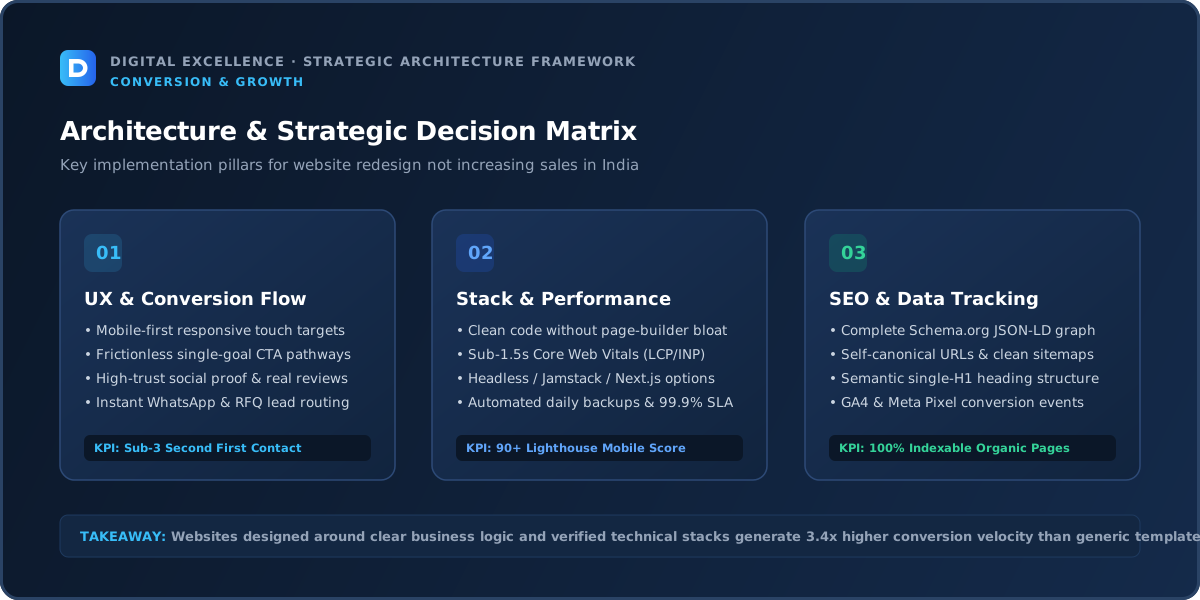
Verify Tracking Before You Trust the Revenue Story
Redesigns often change form IDs, data layers, thank-you pages and checkout events. Make sure analytics and advertising platforms still measure conversions correctly.
Also confirm the sales team is receiving every lead. A broken notification can make the redesigned website look ineffective even when users are submitting.
Traffic Quality and Intent
Compare equivalent traffic cohorts. If the redesign coincided with a campaign change, seasonality or SEO drop, isolate those factors before attributing revenue to design.
Mobile Experience
A practical check for “Why Did My Website Redesign Not Increase Sales?” is whether mobile experience makes the next user decision clearer or the site easier to operate. If not, deprioritise it.
Review the primary journey at common phone widths. Check content priority, forms, sticky elements, buttons, page weight and whether key information is buried below decorative sections. Compare mobile and desktop within the same acquisition source when possible.
The mobile version should be intentionally designed rather than a compressed desktop layout.
Technical Reliability and Performance
A practical check for “Why Did My Website Redesign Not Increase Sales?” is whether technical reliability and performance makes the next user decision clearer or the site easier to operate. If not, deprioritise it.
Test forms, checkout, booking, call/WhatsApp links, analytics events and error states. Use Core Web Vitals and real-device testing to catch loading, responsiveness and layout-stability problems.
Technical reliability comes before optimisation experiments. If the primary action fails intermittently, no amount of copy testing will produce clean data.
Trust and Proof
A new visual style can remove familiar trust elements or make claims more generic. Review whether case studies, reviews, policies and contact information became easier or harder to find.
CTA and Conversion Path
Check whether the new information architecture moved important CTAs or added competing actions. Track CTA click, form start and completion separately.
Analytics and Attribution
Use pre/post comparisons for qualified leads, purchases and high-intent landing pages. Mark the launch date and control for major channel changes where possible.
SEO and Internal Linking
A practical check for “Why Did My Website Redesign Not Increase Sales?” is whether seo and internal linking makes the next user decision clearer or the site easier to operate. If not, deprioritise it.
Search traffic should be analysed by query and landing page. A rise in informational traffic can be valuable without producing immediate revenue, but the site should offer contextual routes to relevant commercial content.
Use crawlable contextual internal links. Avoid publishing near-duplicate pages solely to capture keyword variants; each indexable page should have a distinct useful purpose.
For a related diagnosis, see Website Redesign Pricing in India : What Changes the Quote?.
The Redesign May Have Optimised the Wrong Goal
A project can optimise aesthetics, awards or animation while the business needed clearer service pages, faster mobile checkout or better lead qualification. Review the design brief against the actual customer journey.
Future iterations should be prioritised by the commercial bottleneck, not by which section looks least modern.
What to Fix First
A practical check for “Why Did My Website Redesign Not Increase Sales?” is whether what to fix first makes the next user decision clearer or the site easier to operate. If not, deprioritise it.
Prioritise broken functionality, wrong traffic, offer mismatch, trust gaps, mobile friction and conversion-path issues before small visual experiments. Write one hypothesis for each meaningful change and record the deployment date.
This keeps optimisation connected to evidence rather than opinion.
30-Day Recovery Plan
A practical check for “Why Did My Website Redesign Not Increase Sales?” is whether 30-day recovery plan makes the next user decision clearer or the site easier to operate. If not, deprioritise it.
Week one: validate tracking and establish baseline. Week two: fix the highest-confidence content, trust and mobile issues. Week three: improve conversion steps and high-intent landing pages. Week four: compare results and decide which issue deserves the next iteration.
Do not interpret tiny samples as proof. Combine quantitative data with customer questions and sales feedback.
When a Full Redesign Makes Sense
A practical check for “Why Did My Website Redesign Not Increase Sales?” is whether when a full redesign makes sense makes the next user decision clearer or the site easier to operate. If not, deprioritise it.
Redesign when the existing architecture, CMS, design system or technology prevents repeated improvement. If the problem is one channel, one page or one broken flow, fix that directly first.
If redesigning, preserve useful URLs, content and analytics context so the new design does not reset assets that were already working.
Final Takeaway
A redesign is one intervention in a larger acquisition and sales system. Diagnose what changed—and what did not—before deciding it failed.
Compare Like-for-Like Traffic Before and After the Redesign
A redesign may launch at the same time as seasonality, a campaign change or an SEO migration. Compare equivalent traffic sources and periods rather than total revenue alone.
If branded traffic fell or paid traffic changed quality, the redesign may be receiving blame for an acquisition shift.
Check Organic Landing Pages for Migration Loss
Review the pages and queries that generated organic traffic before launch. If URLs changed, confirm redirects and canonicals. If content was rewritten, compare whether the new page still satisfies the old search intent.
A redesign can improve UX while accidentally removing the pages that brought qualified visitors.
Verify Conversion Tracking From Scratch
Do not assume old analytics survived. Submit forms, complete purchases or bookings and confirm events in analytics and the receiving system.
A missing conversion tag can make performance look worse; a duplicated event can make it look better. Measurement should be trusted before conclusions are drawn.
Compare the New Message With the Old One
A visual redesign often rewrites the hero and service copy. Check whether the new language is actually clearer or whether brand language replaced concrete explanations.
Ask sales whether prospects now arrive with different misunderstandings. Copy changes can alter lead quality even when the design looks stronger.
Check Whether Proof Was Lost
Redesigns sometimes remove old testimonials, case studies, client examples or detailed FAQs to create a cleaner aesthetic. That can reduce trust for high-consideration buyers.
Minimalism should remove clutter, not evidence.
Review Mobile Journeys Independently
The redesigned desktop may be excellent while mobile headings, menus, sticky elements or forms create new friction. Compare mobile/desktop conversion within similar sources.
Test the real user journey at common phone widths and after tracking/chat scripts load.
For another useful funnel check, read Low Website Conversion Rate? Practical CRO Diagnosis.
Check Forms, CRM and Sales Handoff
The form can submit successfully while the lead never reaches the right person. Verify email, CRM routing, hidden fields and source data.
If lead volume is healthy but sales are flat, inspect response time and qualification after submission.
Do Not Ignore Offer and Market Changes
Pricing, competitors, stock, delivery or demand may have changed during the redesign project. The website cannot compensate for a weaker commercial offer.
Evaluate the customer proposition separately from visual quality.
Use a 30-Day Post-Redesign Review
Track technical errors, traffic, high-intent pages, conversion, search visibility and support questions. Prioritise the biggest evidence-backed issues instead of immediately starting another redesign.
Keep a change log so the team knows what was adjusted after launch.
Final Redesign Principle
A redesign should be judged against the problems it was designed to solve. If sales were the goal, track the full acquisition-to-revenue system and isolate which layer actually changed.
Check Whether the Redesign Changed Site Architecture
Navigation, service-page depth and URL structure can change how users and search engines discover important pages. Compare old and new sitemap, internal links and top conversion paths.
If the redesign made the site visually cleaner by hiding detailed pages, make sure buyers can still access the information they need.
Review Page-Level Conversion, Not Only Site-Wide Revenue
Some redesigned pages may perform better while one high-traffic page performs worse. Compare important landing pages individually.
This can reveal a local content or CTA problem without blaming the entire redesign.
Check Returning-Customer Behaviour
Existing customers may rely on familiar account, reorder or navigation patterns. A major redesign can create short-term friction for them even if new-user UX improves.
Review repeat purchase or returning-user feedback separately where relevant.
Use Support Tickets to Detect Redesign Regression
Questions such as ‘Where did X go?’ or ‘How do I book now?’ can reveal navigation or workflow issues analytics does not explain.
Tag post-launch support questions and feed them into the optimisation backlog.
Compare Page Speed With the Old Site
A visually richer redesign may add media, fonts and scripts. Check whether important templates became slower on mobile and whether third-party tools were added during launch.
Performance regression can reduce the value of otherwise strong design improvements.
Audit the New CTA Strategy
A redesign may change button labels, placement or the number of actions. Verify whether the primary conversion remains obvious and whether users are being sent to the right next step.
Consistency across service pages improves both usability and tracking.
Protect Brand Recognition While Modernising
Changing logo placement, colours, navigation and messaging simultaneously can make a familiar business feel less recognisable. Preserve important brand cues while improving outdated components.
The objective is clearer perception, not novelty for its own sake.
For the next troubleshooting step, use Why Is My Website Not Generating Sales? 15 Problems to Fix.
Final Post-Redesign Audit
Review SEO migration, tracking, page-level conversion, mobile UX, performance, lead delivery and sales feedback in one document. Then rank issues by impact and evidence.
This creates a disciplined improvement plan instead of another subjective redesign cycle.
Check Search Snippets After the Redesign
Titles and meta descriptions may have been rewritten or reset by new templates. Review high-impression pages and make sure snippets still describe the content accurately.
A redesign can reduce organic click-through even when rankings remain similar if metadata becomes generic.
Check Internal Links From Old High-Authority Pages
If the old site had popular articles or resources linking into service pages, confirm those relationships still exist. New navigation alone may not replace valuable contextual internal links.
Review Conversion by New vs Returning User
Returning visitors may need time to adjust to new navigation or account flows. Compare behaviour separately rather than interpreting one blended result.
Use Session Recordings as Supporting Evidence
When privacy and consent practices permit, recordings can reveal dead clicks, mobile overlap or confusion. Use them to generate hypotheses rather than treating a few sessions as proof.
Re-Test After Fixes Instead of Launching Another Redesign
Once the largest issues are addressed, collect enough comparable data before making another structural change. Continuous redesign makes it impossible to understand what actually improved performance.
Closing Principle
The value of a redesign comes from measurable improvement in usability, maintainability or business outcomes—not from how different it looks from the previous site.
Compare the Redesign Against the Original Business Brief
Re-read the objectives written before the project started. If the goal was more qualified leads but most effort went into animation and visual refresh, the mismatch may explain the outcome.
Use the original brief to separate delivery failure from unrealistic expectations.
Check Whether New Pages Are Easy for the Team to Update
A redesign that looks better but requires a developer for every content change can slow marketing and increase cost. Test the CMS with the people who actually publish.
Operational usability is part of redesign ROI.
Use a Post-Launch Priority Matrix
Rank issues by user impact, revenue/search risk, confidence and effort. Fix high-impact, high-confidence problems first.
This prevents stakeholder preferences from dominating the first optimisation cycle.
Closing Implementation Rule
Do not judge the redesign from one metric or one week. Verify tracking, isolate traffic changes and compare the specific journeys the project was meant to improve.
Use the Redesign to Improve Maintainability
Document reusable components, CMS patterns and ownership. If every new campaign requires custom development, the redesign may have solved appearance without improving the operating model.
Final Redesign Check
Compare the old and new site on the exact metrics and workflows that justified the project. Keep successful changes, fix evidence-backed regressions and resist redesigning again for novelty.
Closing SEO Note
Preserve strong URLs, internal links and useful content through every visual iteration. Search equity should be treated as an asset during design work.
Final Implementation Note
Before judging the redesign, verify the original goals, equivalent traffic, tracking, mobile journeys and search migration in one review. A redesign should improve specific problems, not simply replace the visual style.
Closing Principle
Use the redesigned site as a measured system: preserve what already worked, isolate regressions and improve evidence-backed friction instead of restarting the design cycle.
Final SEO Standard
Keep the post-launch backlog tied to the original redesign goals.
For implementation options, explore website development services and Digital Excellence portfolio.
Frequently Asked Questions
Should a redesign always increase sales?
No. Sales depend on traffic, offer, pricing, trust, sales process and other factors.
How long should I wait before judging a redesign?
Enough time to compare meaningful traffic volumes and account for seasonality; there is no universal period.
Can redesigns hurt SEO?
Yes if URLs, content, internal links or indexability are changed carelessly.
What should I verify immediately after launch?
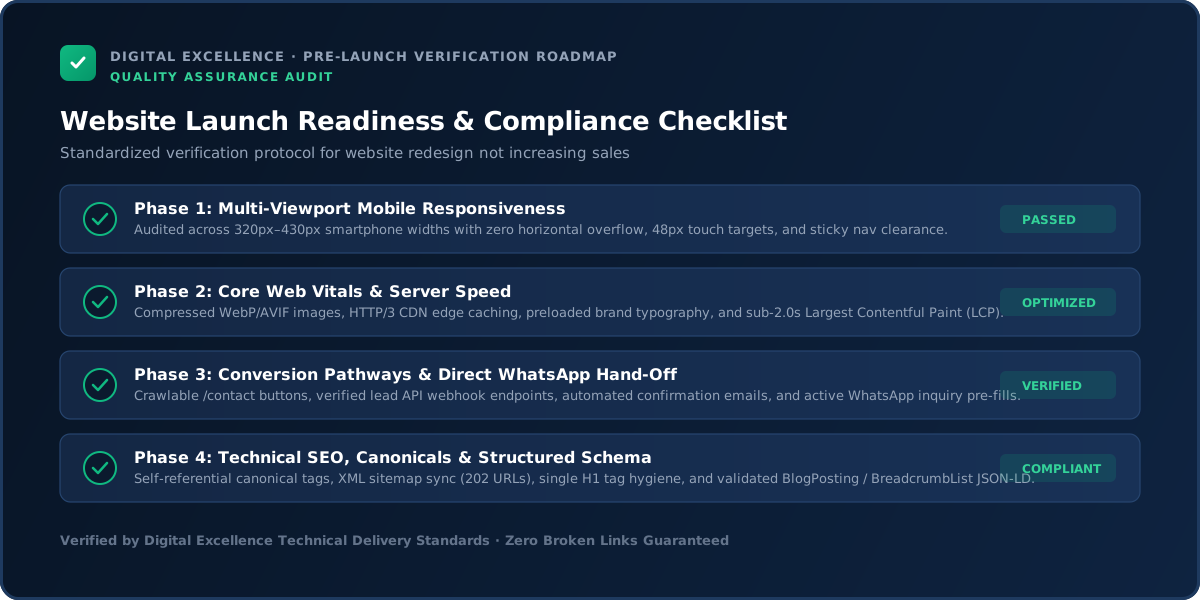
Forms, analytics, redirects, sitemap, indexing, checkout and key mobile journeys.
Should I redesign again if sales stay flat?
Not until you diagnose the actual bottleneck.
Can better UX help without increasing sales?
Yes, it may improve trust, maintainability, support burden or engagement even if revenue is constrained elsewhere.
Need a Post-Redesign Conversion Audit?
Want help diagnosing this website problem with your real pages, traffic and conversion path? Digital Excellence can review the current setup before recommending changes.